> ## Documentation Index
> Fetch the complete documentation index at: https://docs.revenuebase.ai/llms.txt
> Use this file to discover all available pages before exploring further.
# Grouping & aggregation
> Group and aggregate RevenueBase data at company level in Gigasheet
Roll up people-level records to the company level to count contacts per company, prioritize accounts, or layer analysis with nested groups.
## Why grouping matters
Gigasheet defaults to showing people-level records. But sometimes you need to see people rolled up to the company level — for example, to count how many matching contacts exist at each company, or to prioritize accounts.
## How to group
Apply any filters you need so the grouped view shows only the audience you care about.
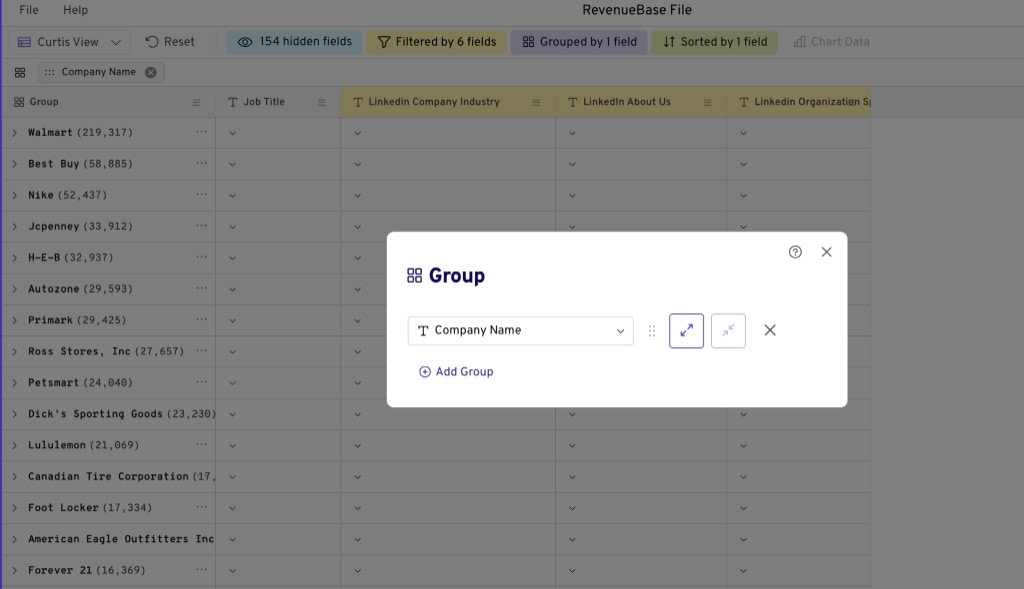
Click the **Group** button (next to the **Filter** button) and select **Company Name** to aggregate your results at a company level.
 ## Nested groups for territory planning, account prioritization & personalization at scale
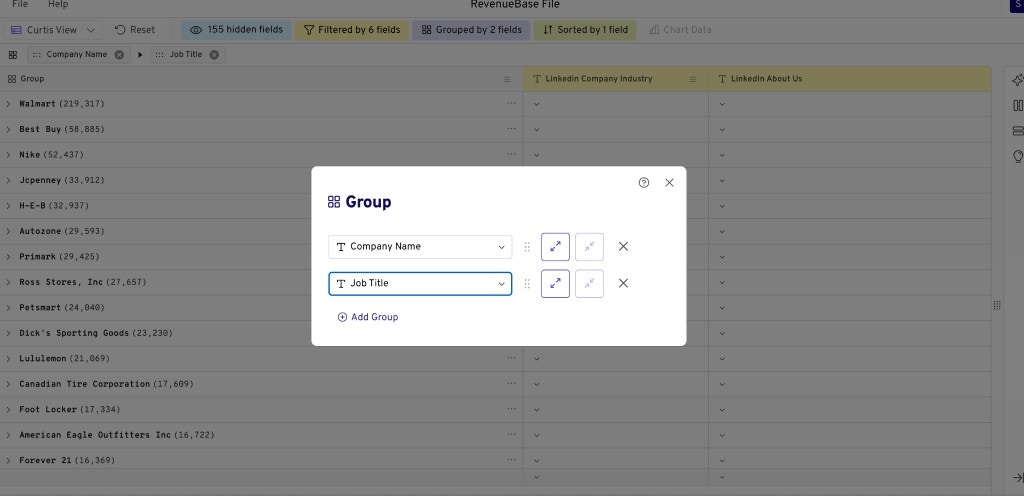
You can use nested groups to layer your analysis. For example, if you want to know which retail companies have the biggest e-commerce teams:
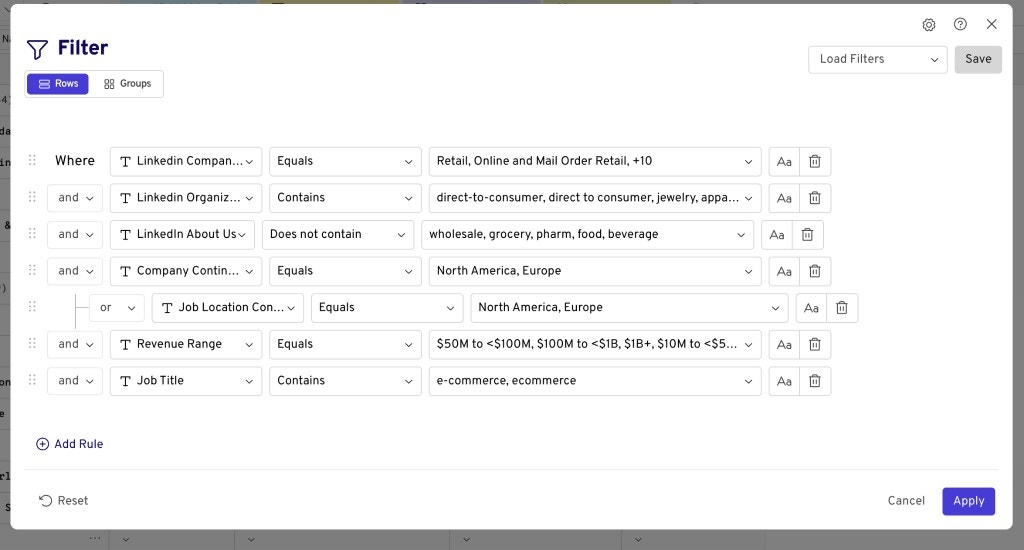
Find the relevant audience (e.g., retail and e-commerce companies in North America and Europe, with revenue and job title filters).
## Nested groups for territory planning, account prioritization & personalization at scale
You can use nested groups to layer your analysis. For example, if you want to know which retail companies have the biggest e-commerce teams:
Find the relevant audience (e.g., retail and e-commerce companies in North America and Europe, with revenue and job title filters).
 Group by **Company Name** and add a nested level (e.g., e-commerce department) to see department size at every company and prioritize accordingly.